How the Chick calorie tracker app worksStart with the day. Tap into the decision that matters next.
Chick starts with Snapshot, then lets each signal open the part of the system that helps you act: food, protein, calories, nutrients, activity, sleep, tasks, weight, planning or progress.
Instead of giving you separate tools that do not talk to each other, Chick connects food, activity, tasks, planning, sleep, weight, calendar and progress so one update can make the rest of the day clearer.
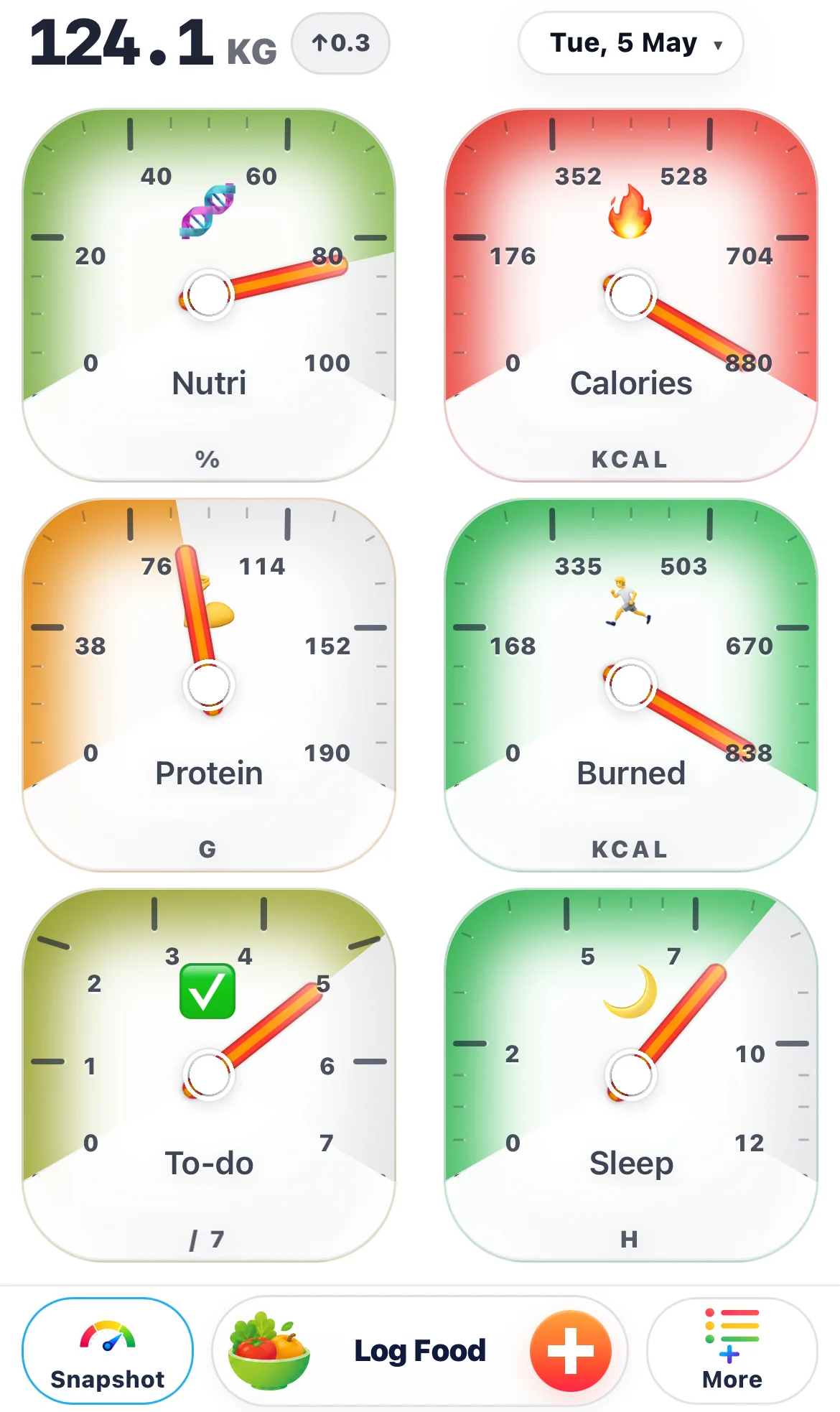
Each gauge is a route to the next decision.
Snapshot gives you a calm overview of the day. When something needs attention, you tap the relevant gauge and Chick opens the next useful place: nutrition details, calorie details, protein guidance, exercise logging, task planning, sleep check-in, weight, or progress.
Open the nutrition list
Tap nutrition to move from a simple daily score into a clearer view of the nutrients that need attention.
View nutrients Chick Food TrackerSee the calorie story
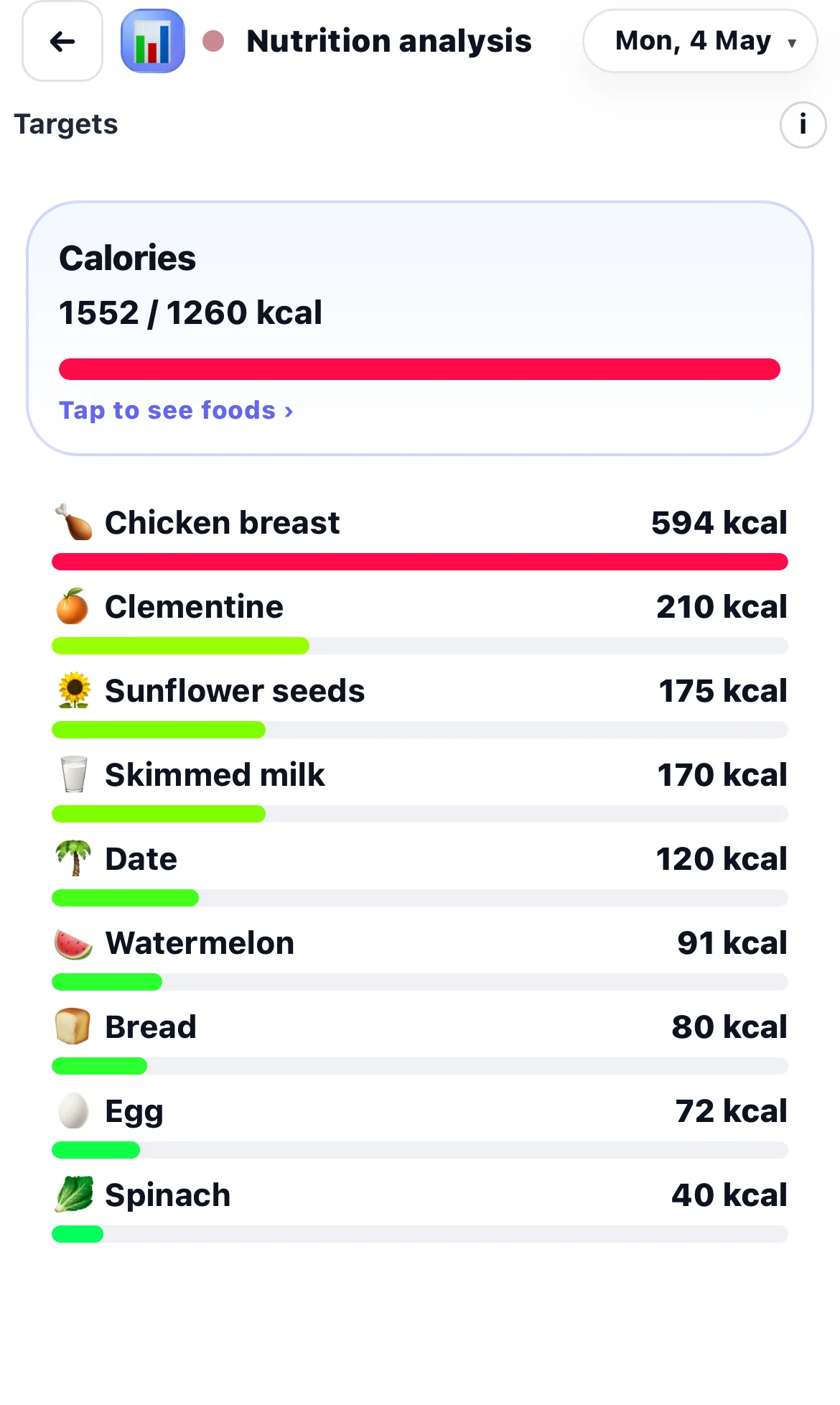
Tap calories to understand what has been eaten, total intake for the day, and how it compares with the daily target.
View logging Chick Protein TrackerClose the protein gap
Use the protein view to understand what is missing and what kind of food could still fit the remaining day.
View protein Chick Exercise TrackerLog movement
Tap exercise when training or movement needs to be recorded, so fitness is considered beside calories, recovery, and progress.
View training Chick Daily PlannerAdd the next action
Tap into tasks and progress when the day needs structure, a practical next step, or a better plan for what still needs to happen.
View tasks Chick Weight TrackerLog weight and guide targets
Tap weight when you need to record the scale and help Chick compare weight trends with food, exercise, and progress.
View weight Chick Progress TrackerReview the direction
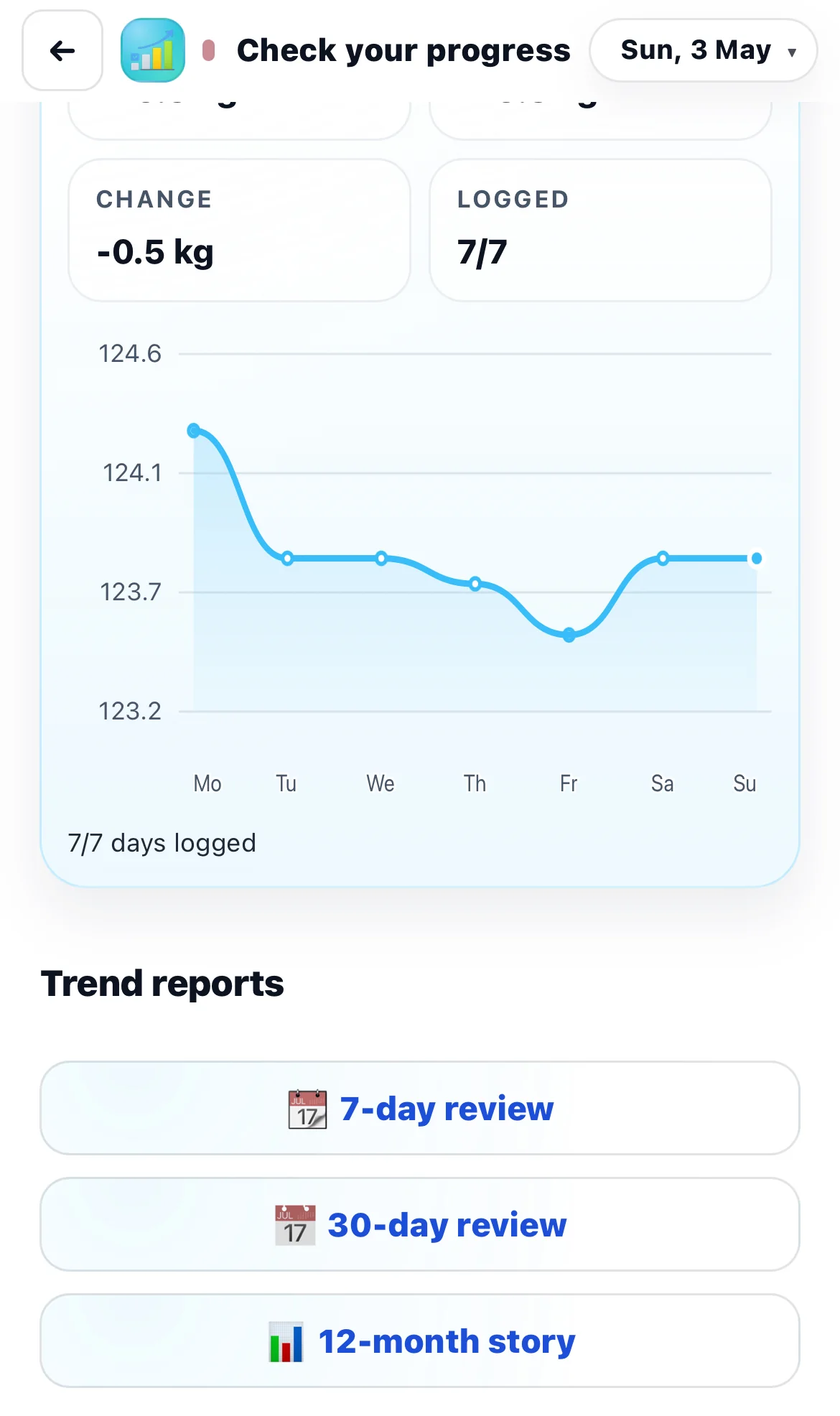
Use Progress to see how calories, protein, weight, exercise, sleep, tasks, and routine are moving over time.
View progressFood signals work better when they are read together.
Chick does not treat a calorie number as the whole answer. Intake shows one part of the day, nutrient quality shows another, and protein helps explain fullness, recovery support, and better choices for later.
That means the app can help you understand not only what you ate, but what the rest of the day may still need.
- Record meals, snacks, and drinks.
- Use calorie tracking to see the total day, not only one meal.
- Use nutrition and protein views to make the next choice smarter.
Planning is where intention becomes structure.
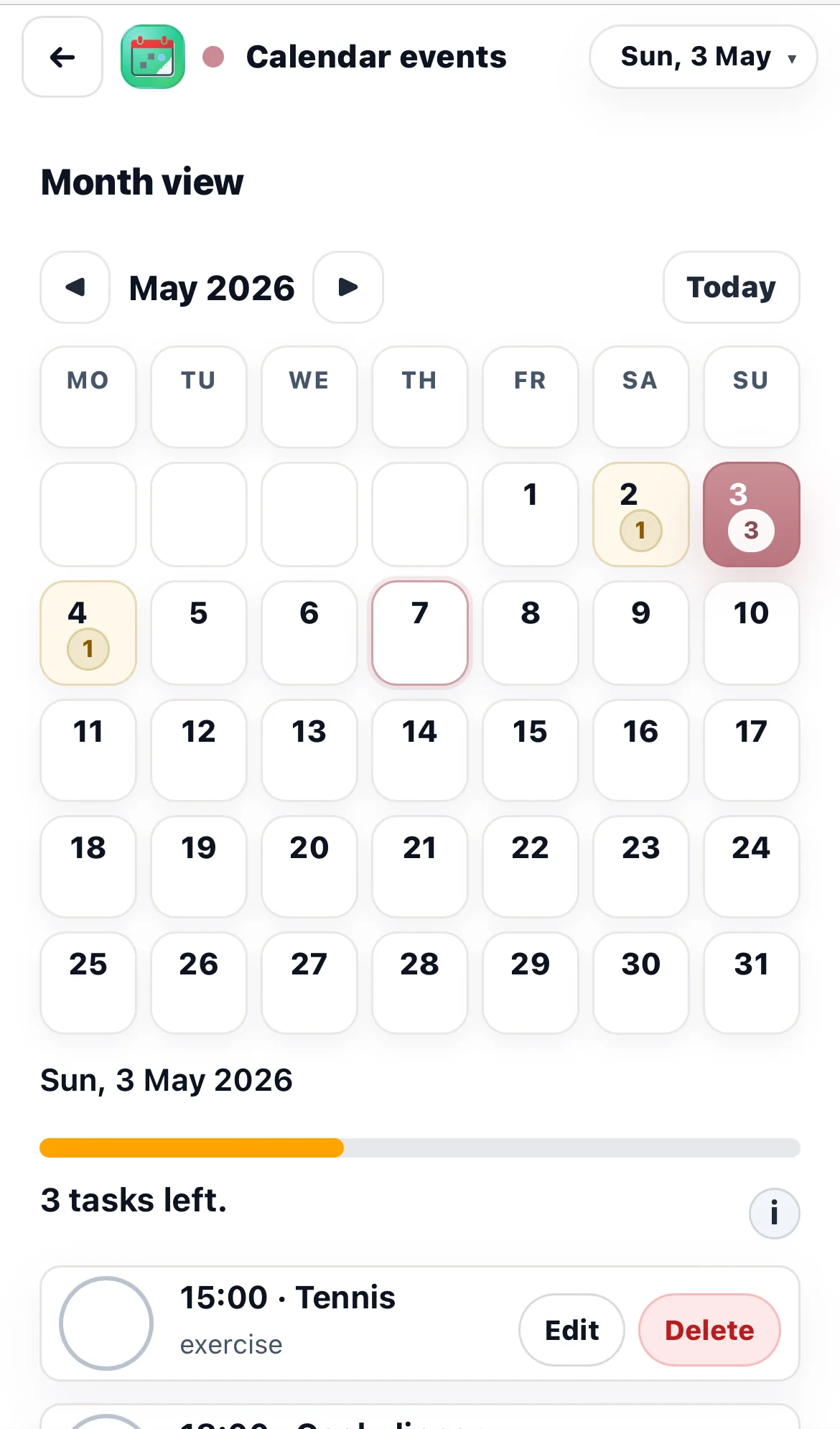
When the problem is not food but structure, Chick helps you plan the day. You can add tasks, review what needs to happen, and use day planning to connect food, movement, routine, and recovery with the real shape of the day.
Tasks and plans can support the Calendar, so daily planning and weekly planning stay connected instead of living in separate places.
- Add tasks when the day needs a clear next action.
- Use day planning to turn the task list into a practical plan.
- Use Calendar to see the day and week around meals, movement, and routine.
Reports, Pattern Tracker and Progress turn records into intelligence.
Progress helps you understand the direction: calories, protein, weight, exercise, sleep, tasks, and other health signals over time. Reports help summarise what happened across a wider period, so the app is not only focused on today.
Pattern Tracker focuses on repeated patterns: the situations, routines, or moments that tend to help or hurt consistency. Together, Progress and Pattern Tracker help Chick move from simple tracking to better understanding.
- Use Progress when you want to know whether the overall direction is improving.
- Use Reports when you want a clearer summary of a week or wider period.
- Use Pattern Tracker when you want to understand repeated situations and behaviour patterns.
Weight feedback helps the plan become smarter.
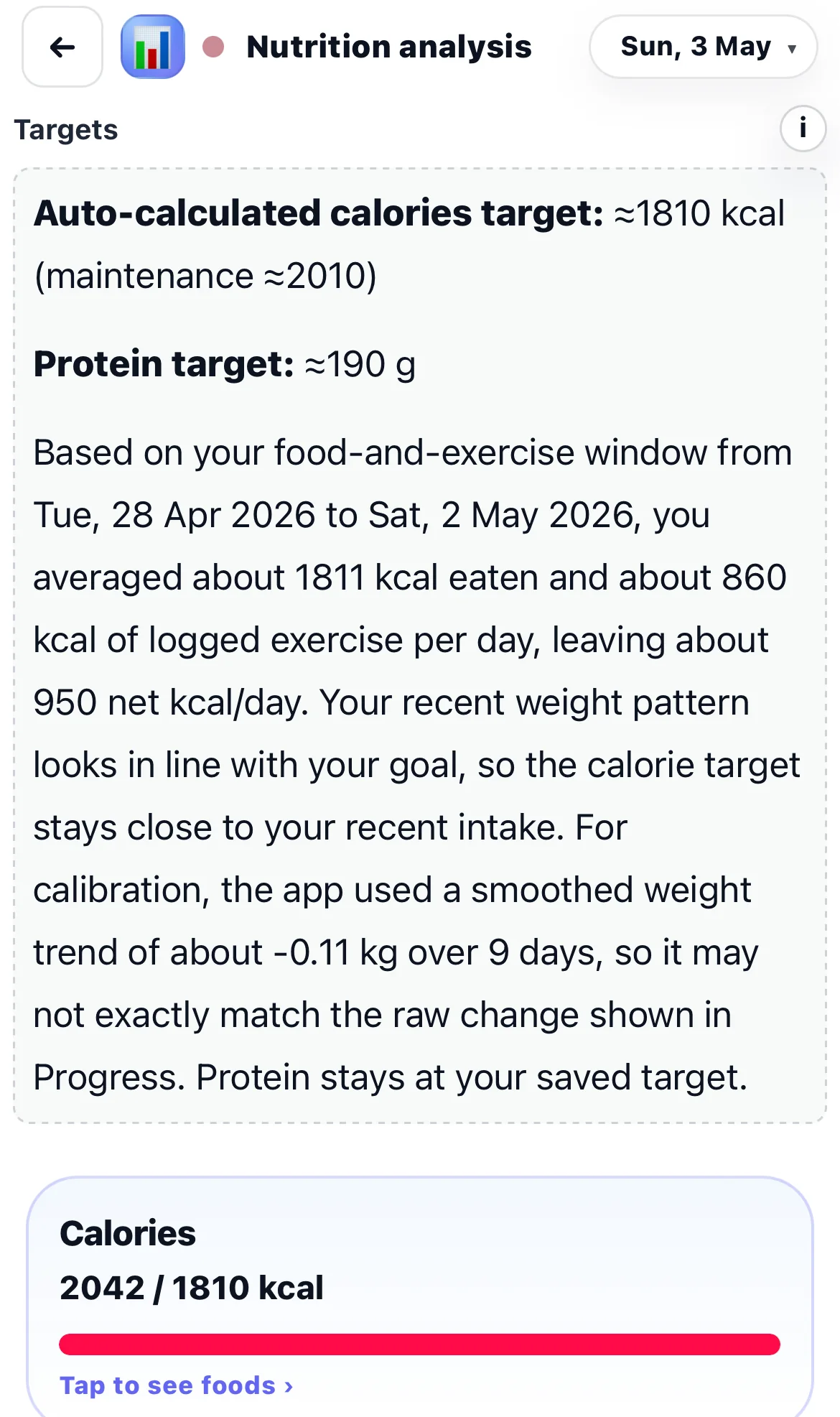
Chick does not treat weight as a lonely diary entry. When the recent pattern is clear enough, the app can compare weight change, average calorie intake, and exercise, then guide a calorie target that better fits the real direction.
This makes Chick more useful for weight loss because food, movement, targets, and progress can work together instead of leaving the user to guess whether the budget is still right.
- Weight shows the direction over time.
- Food logs show the average calorie intake behind that direction.
- Exercise helps the guidance stay connected to real activity.
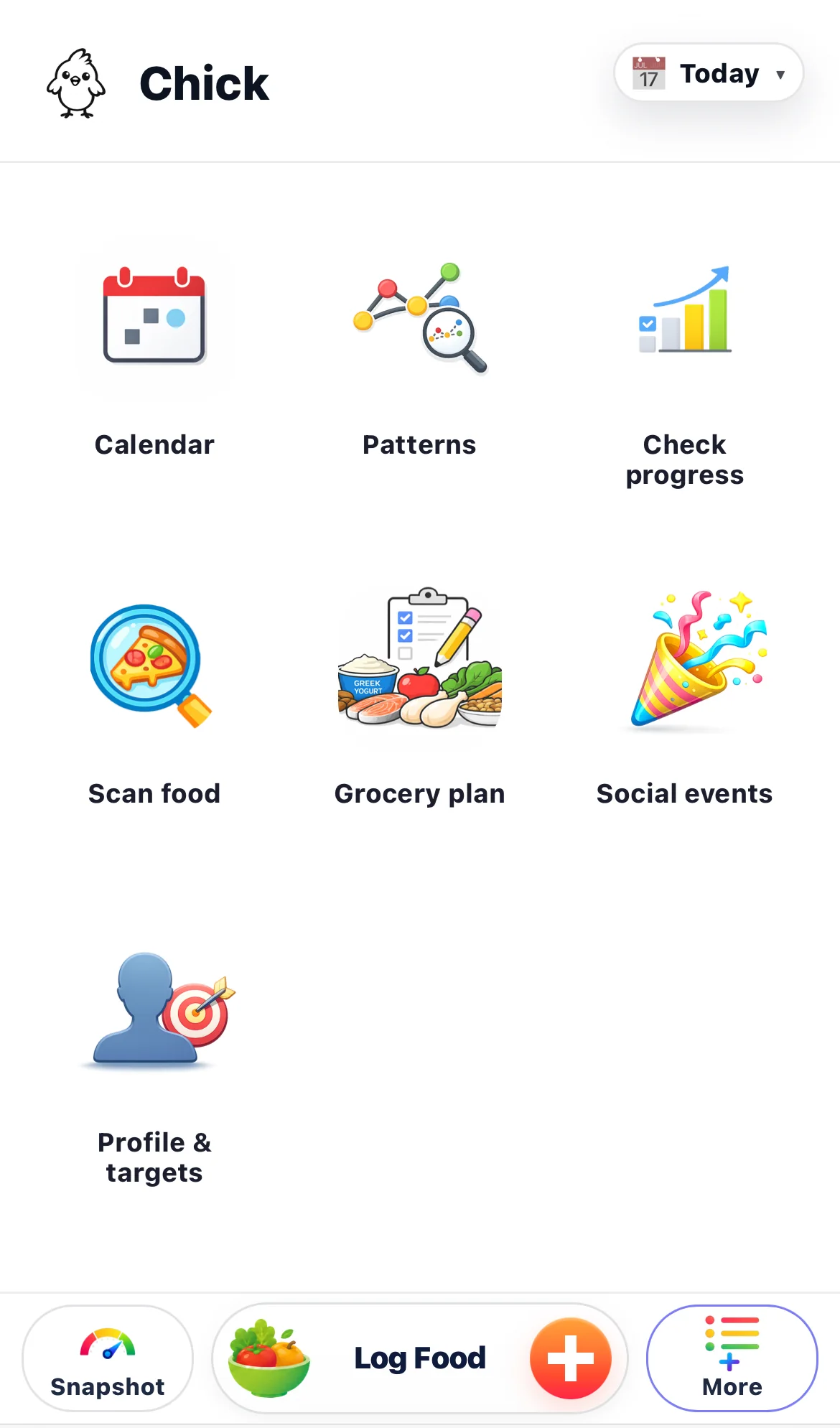
Use More for Food Choice Guide, grocery planning, social meals, calendar and profile targets.
Real life does not happen on one screen. When you are shopping, ordering food, planning a social meal, preparing groceries, checking the calendar, or updating targets, the More area gives you the practical tools for that moment.
Food Choice Guide is especially useful away from home, because you can check food before buying, ordering, or eating it and then bring that decision back into the bigger daily picture.
- Use Food Choice Guide when you need quick food context in a shop, restaurant, or busy moment.
- Use Grocery List to make better food choices easier before the week gets stressful.
- Use Chick Profile & Targets to keep Chick aligned with your health, fitness, and weight goals.
The loop: read the day, act, review, adjust.
The app is built around a practical rhythm: look at Snapshot, tap the gauge that matters, log or plan the next action, then let Progress and Calendar keep the bigger picture visible.
See the signal where the next decision happens.
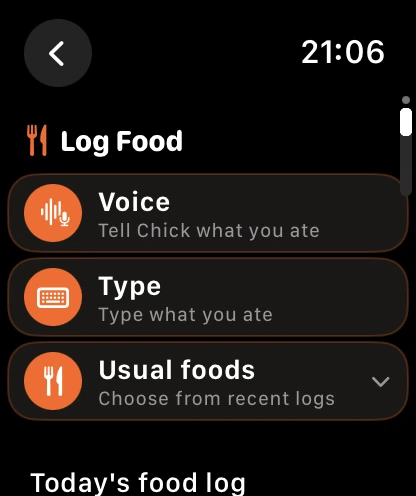
The Chick system does not have to wait for a long app session. Apple Watch can keep the day visible on your wrist, iPhone widgets can keep selected gauges on the Home Screen, and Apple Health can help activity, workouts and sleep stay current from the data you choose to share.
The point is not another dashboard. It is less friction between noticing the day and acting on it.
Chick is a private system for managing the decisions behind progress.
You can use Chick for food logging, nutrient insight, planning, tasks, movement, weight trends, and progress. The difference is that those parts are designed to work together, so every tap helps the next decision make more sense.